
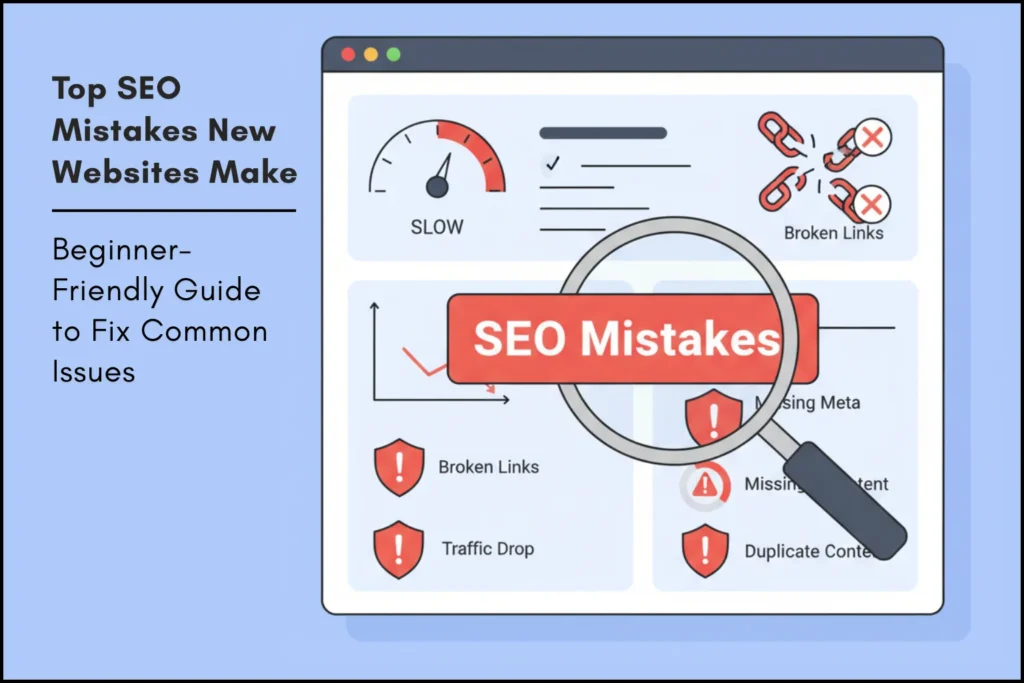
Launching a new website feels exciting. You choose a niche, publish your first articles and expect traffic to start coming in. But in reality, most new websites struggle to rank on Google in the beginning. The reason is simple — not because your content is bad, but because of small SEO mistakes that beginners often don’t realize. These mistakes can slow down indexing, reduce visibility and delay your growth.
Over 90% of pages get no organic traffic from Google. This shows how competitive search has become, especially for new websites.
The good part? Almost all of them are fixable.
With so much content already available online, Google now looks for something extra — not just rewritten information.
This is where the idea of “Information Gain” comes in. If your content doesn’t add anything new compared to existing top results, it becomes harder to rank.
New websites often fail to rank on Google due to common SEO mistakes like poor keyword research, thin content, slow loading speed, lack of backlinks and ignoring search intent. Fixing these issues improves visibility, indexing speed and long-term traffic growth.
In this guide, you’ll learn the most common SEO mistakes new website owners make — and practical ways to fix them step by step. This guide is based on practical SEO experience and industry best practices.
- 1. Not Doing Proper Keyword Research
- 2. Publishing Thin or Low-Value Content
- 3. Ignoring Search Intent
- 4. The "Information Gain" Factor: Why Originality Matters
- 5. Slow Website Loading Speed
- 6. Ignoring Internal Links
- 7. Not Adding Schema Markup
- 8. Over-Optimizing: The Trap of "SEO Ghosting"
- 9. Not Optimizing Titles & Meta Descriptions
- 10. Advanced Indexation Mechanics & Algorithmic Audit Protocols
- 11. Not Building Backlinks
- 12. Poor Mobile Optimization
- Quick SEO Checklist for New Websites
- FAQs About New Websites SEO Mistakes
- Conclusion:
1. Not Doing Proper Keyword Research
One of the biggest mistakes beginners make is writing content based purely on assumptions instead of real search data. You may publish a great article, but if nobody is searching for that topic, it won’t bring traffic.
Why this hurts SEO:
- Low or zero-volume keywords
- No match between content and audience
- Wasted effort on topics with no ranking potential
For example, one of our early blog posts didn’t rank for 3 months because we targeted a keyword with zero search volume. After updating it with proper keyword research and targeting a long-tail keyword, it started getting traffic within weeks.
How to fix it:
Use beginner-friendly tools such as:
- Google Keyword Planner (Free)
- Ubersuggest
- AnswerThePublic
- Google Trends
Focus on long-tail keywords that have:
- Moderate search volume
- Low to medium competition
- Clear search intent
2. Publishing Thin or Low-Value Content
Google aims to show users helpful, in-depth content. Very short content often struggles to rank because it may not fully answer the user’s query.
For example, one of our early articles was only 600 words long and covered a topic very briefly. It failed to rank even after a month. After expanding it to include detailed explanations, examples, and FAQs (around 1400+ words), the page started appearing in search results within a few weeks.
Fix it by creating high-quality content:
- Target 1000–1500 words for informational guides
- Add real examples, screenshots and visuals
- Write in a structured, beginner-friendly tone
- Cover all subtopics users expect
Remember, Google rewards completeness, not length.
3. Ignoring Search Intent
Even a perfectly written article will not rank if it doesn’t match what users want.
Search intent examples:
- “Best SEO tools” → user expects a list/comparison
- “What is SEO” → user expects a definition
- “SEO course near me” → user wants local options
For example, we once wrote an article targeting “best SEO tools” but structured it like a tutorial instead of a list. It didn’t rank until we converted it into a comparison-style list post, which matched user intent better.
How to fix it:
Before writing, search your keyword on Google and analyze:
- The top 10 results
- Whether they are guides, lists, tutorials or definitions
- The content format Google prefers
Match your article with the pattern that ranking pages follow.
4. The “Information Gain” Factor: Why Originality Matters
In the era of AI-generated content, Google has introduced a concept called Information Gain. This means the algorithm looks for unique value that isn’t found in the top 10 ranking articles.
The Mistake: Many beginners simply “rewrite” what is already on page one. If your article doesn’t add anything new, Google has no reason to rank you above established sites.
For example, we published a basic SEO checklist that was similar to existing content and saw no rankings. After adding personal insights, screenshots and a custom checklist, the page started gaining impressions and clicks.
How to fix it:
- Add Personal Experience: Share a story about a mistake you made or a success you had.
- Unique Data: Use our Keyword Density Checker to run a mini-study on a specific topic and share the results.
- Custom Graphics: Instead of using stock photos, create a simple chart or take a screenshot of your own WordPress dashboard to explain a point.

To help you diagnose and resolve common website performance issues, the following table outlines key SEO and technical mistakes alongside their impacts and actionable fixes:
| Mistake | Impact | Fix |
|---|---|---|
| No keyword research | No traffic | Use tools like Google Keyword Planner |
| Thin content | Low rankings | Write in-depth guides |
| Slow website | High bounce rate | Optimize speed |
| No backlinks | Low authority | Build links gradually |
| Poor mobile UX | Ranking drop | Use responsive design |
5. Slow Website Loading Speed
New websites often load slowly due to:
- Large, uncompressed images
- Too many plugins
- Bad hosting
- No caching or lazy loading
Why this matters:
- Google’s Core Web Vitals directly impact rankings.
- Page speed directly impacts Core Web Vitals and overall search rankings.
Fix slow loading:
- Compress images (WebP recommended)
- Enable browser caching
- Remove unused CSS/JS
- Use lightweight themes
For example, one of our pages was loading in over 5 seconds due to large images. After compressing images and enabling caching, load time dropped to under 2 seconds and the bounce rate improved significantly.
Improve your on-page SEO with this detailed guide → [On-Page SEO Guide]
6. Ignoring Internal Links
Many beginners publish multiple articles but forget to connect them with internal links.
Internal linking helps Google:
- Understand your site structure
- Pass authority between pages
- Improve crawling
- Increase user time on the site
For example, after adding internal links from older posts to a new article, we noticed Google indexed the page faster and it started appearing in search results within days.
Fix it easily:
Every new article should link to at least:
- 2–3 older posts
- 1 related guide
- 1 tool page (if applicable)
7. Not Adding Schema Markup
Schema markup helps Google understand your content better.
It doesn’t increase ranking directly, but it improves:
- CTR (click-through rate)
- Rich snippets
- Structured visibility in search results
New websites should add:
- Article schema
- FAQ schema
- Video schema (if using videos)
For example, after adding FAQ schema to one of our blog posts, it started appearing with rich results in Google, which increased the click-through rate noticeably.
Use your built-in tools:
✔ Blog Post Schema Generator
✔ FAQ Schema Generator
✔ Video Schema Generator
8. Over-Optimizing: The Trap of “SEO Ghosting”
While it’s important to optimize, many beginners fall into the trap of Over-Optimization. This happens when you try so hard to please the algorithm that you forget about the human reader.
Signs of Over-Optimization:
- Keyword Stuffing: Repeating your focus keyword in every single paragraph.
- Forced Internal Links: Linking to irrelevant pages just for the sake of “having a link.”
- Robot-like Tone: Writing in a way that feels stiff and unnatural.
For example, we once tried adding the same keyword in every paragraph of a post. Not only did it feel unnatural, but rankings didn’t improve until we rewrote it in a more natural, reader-friendly way.
The Solution: Write your first draft for humans. Once you are done, go back and subtly add your keywords and links where they make sense. Remember, Google’s “Helpful Content System” prioritizes user satisfaction over keyword density.
9. Not Optimizing Titles & Meta Descriptions
Yoast SEO warnings (red or orange) are common for new websites.
Common mistakes include:
- Keyword stuffing
- Duplicate titles
- Very short or overly long titles
- Weak meta descriptions
For example, one of our posts had a very generic title with no clear benefit. After rewriting it to be more specific and engaging, the click-through rate improved even without a ranking change.
Fix:
- Keep titles under 60 characters
- Add one focus keyword naturally
- Write a concise, benefit-driven meta description (145–155 characters)
To avoid snippet cut-offs in Google Search results, run your titles and descriptions through our Free Word and Character Counter Tool.
10. Advanced Indexation Mechanics & Algorithmic Audit Protocols
For new websites, indexation delay is rarely a simple cosmetic issue. Googlebot allocates crawl budget and index slots based on strict algorithmic evaluations of server responses, rendering speed, and domain-level entity trust.
1. Technical Crawl & Indexing Diagnostics
When pages remain in the “Crawled – currently not indexed” status, search crawlers have processed your URL headers and rendered the DOM but concluded that the content density or technical structure does not justify an entry into the primary serving index. Address this with a 4-point technical audit:
| Diagnostic Variable | Underlying Technical Failure | Immediate Corrective Action |
|---|---|---|
| HTTP Status Header Chains | Multiple 301/302 redirects or unhandled 4xx/5xx server response codes during crawling. | Audit server access logs, remove redirect chains, and ensure 200 OK status codes. |
| DOM Rendering Bottlenecks | Heavy client-side JavaScript preventing Googlebot WRS (Web Rendering Service) from executing content within timeout limits. | Implement Server-Side Rendering (SSR) or Dynamic Rendering for key template pages. |
| Canonical Tag Mismatch | Self-referential canonical missing or pointing to a different parameter/protocol variation. | Enforce explicit self-referential rel="canonical" headers on all canonical landing pages. |
| Orphan Page Isolation | URL exists in XML sitemap but receives zero internal PageRank links from existing indexed content. | Inject contextual inbound links from high-authority, indexed category nodes or home page feeds. |
2. Server Log Analysis & Googlebot Crawl Optimization
Rather than relying solely on Search Console summaries, monitor actual engine access via server log file inspection:
- User-Agent Verification: Filter server logs for verified
Googlebot-DesktopandGooglebot-SmartphoneIP blocks to ensure your CDN or firewall (e.g., Cloudflare security rules) is not inadvertently blocking or rate-limiting crawlers. - Crawl Frequency Tracking: Track the time delta between XML sitemap updates and initial crawler HTTP GET requests. Rapid re-crawls indicate strong site hygiene and high-priority index placement.
- XML Sitemap Optimization: Ensure your
sitemap.xmlcontains only indexable 200 OK pages—exclude canonicalized URLs, paginated pages, tags, and 404 targets.
3. Relevant Guides & Technical SEO Frameworks
To fix technical foundation errors across your website, integrate these detailed tutorials into your audit workflow:
- Technical SEO Performance Guide – Comprehensive breakdown on fixing crawl errors, speed metrics, and core site architecture.
- Linking GSC and GA4 Guide – Measure organic indexation performance and landing page acquisition data seamlessly.
- Off-Page SEO & Authority Guide – Build domain trust signals to pass Google’s indexing threshold faster.
11. Not Building Backlinks
Beginner-friendly backlink ideas:
- Answer useful questions on Quora
- Share your posts on social media
- Reach out for guest posting
- Create linkable assets (tools, infographics, research posts)
For example, after answering a few relevant questions on Quora and linking back to our content, we started seeing referral traffic and gradual improvement in rankings.
For Example SEO Tools Page already gives an advantage — tools naturally attract links.
Even the best content won’t rank without authority.

12. Poor Mobile Optimization
Most new website owners design for desktop, forgetting that 70%+ of searches come from mobile.
Fix mobile issues:
- Use a responsive theme
- Avoid text smaller than 16px
- Remove elements that overlap
- Test on 3–4 different mobile screen sizes
For example, one of our pages looked perfect on desktop but had overlapping text on mobile. After fixing responsiveness, user engagement and time on page improved.
Google uses mobile-first indexing, so mobile issues directly hurt rankings.
Quick SEO Checklist for New Websites
✔ Do keyword research before writing
✔ Focus on search intent
✔ Write helpful, in-depth content
✔ Optimize page speed
✔ Add internal links
✔ Use schema markup
✔ Make your site mobile-friendly
✔ Build backlinks slowly
✔ Submit sitemap to Google
✔ Be consistent for at least 3–6 months
FAQs About New Websites SEO Mistakes
1. Is SEO still worth it for a new website?
Absolutely. While AI is changing how people search, high-quality, trustworthy content is still the foundation of the web. SEO is the most cost-effective way to get long-term traffic.
2. How many keywords should I target per post?
Focus on one primary keyword for the title and H1. Then, target 3–5 related “secondary” keywords (LSI keywords) throughout the subheadings and body text.
3. Can I use AI to write my blog posts?
You can use AI for outlines and ideas, but avoid publishing “raw” AI text. Google looks for expertise and personal experience (E-E-A-T), which AI cannot provide. Always edit AI content to include your own voice.
Conclusion:
SEO for new websites can feel overwhelming, but avoiding these mistakes will help your site grow steadily without penalties.
Once you fix issues related to content quality, speed, intent, internal links and schema, your site becomes more trustworthy in Google’s eyes.
All strategies shared in this guide are based on real-world SEO testing and continuous updates based on Google algorithm changes.
The key to early success is consistency:
- Do keyword research
- Write helpful content
- Optimize your pages
- Build authority slowly
With patience and the right strategy, your new website can start ranking faster and attract long-term organic traffic.
Suggested Further Reading
- The Ideal Guide to Domain, Hosting and WordPress for Beginners
- Best Digital Marketing Tools for Small Businesses – Choose Smartly
- Video Schema Markup: Rank on Google Video Carousel Fast
- Ultimate Guide to Keyword Research for Beginners
- Rich Results Test Guide: How to Validate Schema and Fix All Errors
- SEO Basics: What You Must Know to Improve Your Rankings
- How Google Ranks Websites: The SEO Algorithm Explained
- The Ultimate Guide to Image SEO: Rank Higher & Load Faster
- Local SEO Citations: The Ultimate Guide to NAP Consistency
✍️ About the Author
Digital Smart Guide is dedicated to simplifying SEO and digital marketing for beginners and professionals.
We share practical, easy-to-understand strategies based on real experience and ongoing learning from Google updates.
Disclaimer
This content is for informational purposes only. Results may vary based on your niche, competition, and implementation. Always apply strategies based on your specific needs.