
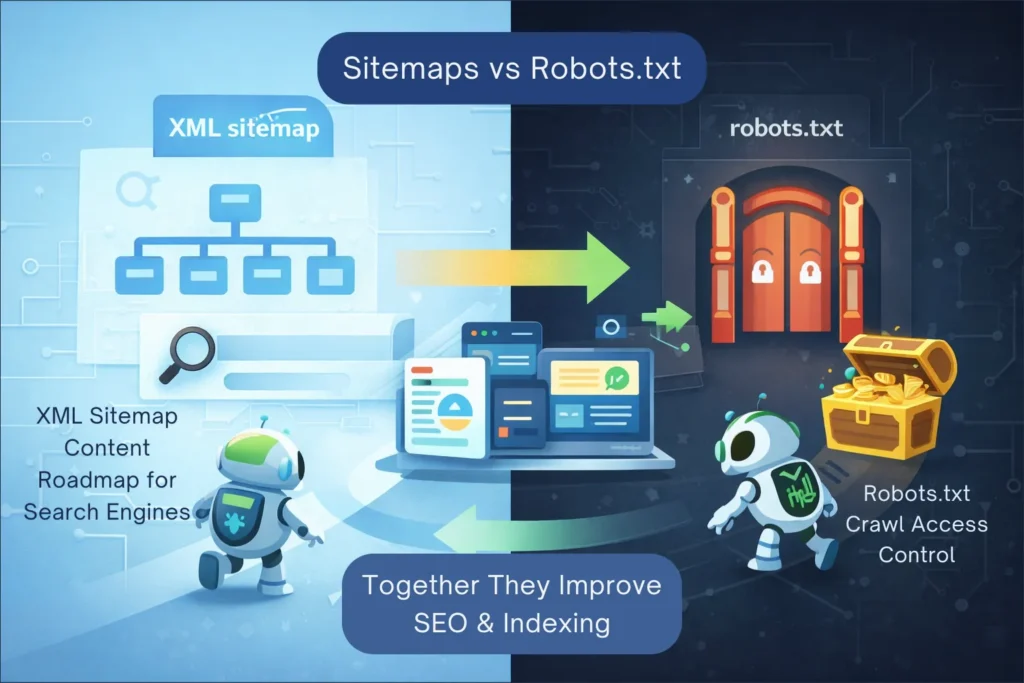
Sitemaps vs. Robots.txt: Which One Actually Controls Your SEO?
When you start a blog, you hear a lot about “getting indexed.” But behind the scenes, there is a complex dance happening between your server and search engine bots. Two of the most important players in this dance are the XML Sitemap and the Robots.txt file.
Many beginners make the mistake of thinking these two do the same thing. In reality, they have opposite jobs. If you want to master technical SEO and speed up your AdSense approval, you need to understand how they work together to control your site’s visibility.
- Sitemaps vs. Robots.txt: Which One Actually Controls Your SEO?
- The Fundamental Difference: The Invitation vs. The Instruction
- What is an XML Sitemap?
- How They Work Together (The Main Secret)
- What Happens When Sitemap and Robots.txt Conflict?
- Do Sitemaps and Robots.txt Affect Rankings Directly?
- Pro-Level Tip: Linking Your Sitemap in Robots.txt
- Common Myths Debunked
- Step-by-Step Checklist for Your Site
- Which One Should You Set Up First on a New Website?
- Frequently Asked Questions (FAQ)
- Conclusion
The Fundamental Difference: The Invitation vs. The Instruction
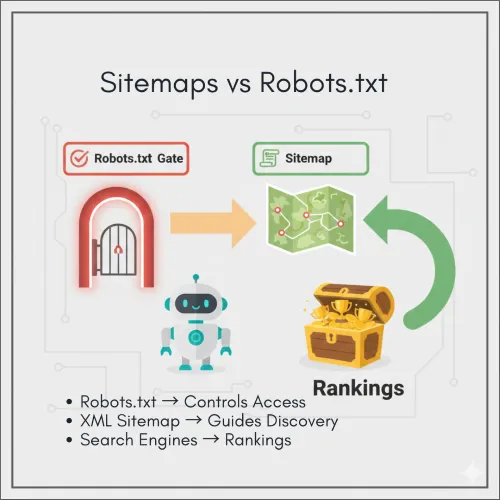
To understand the difference, imagine your website is a large library:
- The XML Sitemap is the Catalog. it is an invitation. It lists every book (page) you want people to find and tells the librarian (Google) where they are located.
- The Robots.txt is the Security Guard. it is an instruction. It stands at the door and tells the librarian which aisles are off-limits and which sections are private.
What is an XML Sitemap?
An XML (Extensible Markup Language) sitemap is a file specifically created for search engines. It lists your website’s most important URLs to ensure that Google, Bing and others can find and crawl them easily.
A sitemap doesn’t just list URLs; it can also provide metadata, such as:
- When the page was last modified.
- How frequently the page changes.
- The priority of the page relative to others on your site.
What is a Robots.txt File?
As we’ve discussed in previous guides, the Robots.txt file is a “gatekeeper.” It uses the Robots Exclusion Protocol to tell crawlers which parts of your site should not be visited. It is primarily used to save “crawl budget” by blocking junk pages, backend files or administrative sections.
Sitemaps vs. Robots.txt: A Comparison Table
| Feature | XML Sitemap | Robots.txt File |
| Primary Purpose | Discovery & Indexing (The Roadmap) | Crawl Management (The Guard) |
| Format | XML | Plain Text (.txt) |
| Bot Interaction | “Please look at these pages.” | “Do not enter these areas.“ |
| Visibility | Hidden from users, but readable by bots. | Publicly accessible at /robots.txt. |
| Best For | New content, deep pages and media. | Security, admin pages and junk URLs. |
How They Work Together (The Main Secret)
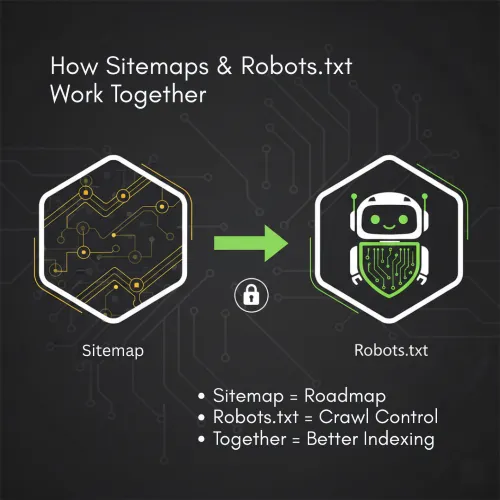
If you only have a Sitemap, Google might waste time crawling your login pages instead of your articles.
If you only have a Robots.txt, Google might miss new pages that aren’t linked well internally.
For a perfectly optimized site, you need both.
What Happens When Sitemap and Robots.txt Conflict?
One of the most common technical SEO issues occurs when a page is listed in your XML sitemap but blocked in your Robots.txt file. This sends mixed signals to search engines.
From Google’s perspective:
- Your sitemap says: “This page is important, please crawl it.”
- Your Robots.txt says: “Do not crawl this page.”
When this happens, Google usually respects the Robots.txt rule and does not crawl the page, even though it appears in the sitemap. As a result, the page may remain unindexed or show warnings inside Google Search Console.
Best Practice:
Every URL included in your sitemap should be crawlable. Always cross-check:
- Sitemap URLs
- Robots.txt disallow rules
inside Google Search Console to avoid conflicts.
The Connection to GSC and GA4
This is where your technical setup becomes a powerhouse:
- Google Search Console (GSC): This is where you submit your Sitemap. GSC will tell you if Google encountered any “Blocked by Robots.txt” errors. If a page is in your Sitemap but blocked in Robots.txt, GSC will send you a warning because you are sending “mixed signals.”
- Google Analytics 4 (GA4): While GA4 doesn’t track “crawls,” it tracks “human visits.” If you notice a high-quality page has 0 visits in GA4, check your Sitemap (to see if it’s listed) and your Robots.txt (to see if it’s accidentally blocked).
Do Sitemaps and Robots.txt Affect Rankings Directly?
Neither an XML sitemap nor a Robots.txt file is a direct ranking factor. However, they strongly influence how efficiently Google discovers and understands your content.
Here’s how they indirectly impact SEO performance:
- Faster discovery of new pages
- Better crawl prioritization
- Reduced crawl waste on low-value URLs
- Cleaner indexing signals
If Google consistently crawls your best pages first, indexing becomes faster—and faster indexing often leads to earlier ranking opportunities, especially for new websites.
Think of sitemaps and Robots.txt as technical multipliers. They don’t create rankings on their own, but they amplify the impact of good content and internal linking.
Pro-Level Tip: Linking Your Sitemap in Robots.txt
One of the most effective technical SEO moves you can make is “Sitemap Cross-Submission.” Even if you submit your sitemap to Google Search Console, you should always link it inside your Robots.txt file.
Why? Because not every bot is Googlebot. Small search engines and specialized crawlers (like those for Pinterest or specialized AI tools) check your Robots.txt first. By putting your sitemap link there, you give every bot a direct map to your content immediately.
How to do it correctly:
Open your Robots.txt file and add this line at the very bottom:
Sitemap: https://yourwebsitename.com/sitemap_index.xml
For Example:
Sitemap: https://digitalsmartguide.com/sitemap_index.xml
Note: Always use the absolute URL (including https://) and make sure it points to your actual sitemap address.
Common Myths Debunked
Myth 1: If it’s in my Sitemap, it will definitely rank.
Truth: A sitemap is a suggestion, not a guarantee. Google still evaluates the content quality and your site’s authority before ranking a page.
Myth 2: If I block a page in Robots.txt, it will disappear from Google.
Truth: No. If other sites link to that page, Google can still index it. To make a page disappear completely, you must use a noindex tag.
Myth 3: Small sites don’t need sitemaps.
Truth: Even a site with 10 posts needs a sitemap. It helps Google understand the relationship between your pages and ensures your images and videos are discovered properly.
Step-by-Step Checklist for Your Site
To ensure your technical SEO is flawless for your AdSense application, follow this checklist:
- Generate a Dynamic Sitemap: Use a plugin like Yoast SEO to ensure your sitemap updates automatically whenever you publish a new post.
- Submit to GSC: Go to Google Search Console > Sitemaps and enter your URL.
- Check for Conflict: Ensure no URL listed in your Sitemap is marked as “Disallow” in your Robots.txt.
- Add the Link: Ensure your Robots.txt includes the
Sitemap:directive at the bottom. - Audit Regularly: Every month, check your GSC “Crawl Stats” to see if bots are following your Roadmap correctly.
Which One Should You Set Up First on a New Website?
If you are launching a brand-new WordPress website, follow this order:
- Create a basic Robots.txt file
This prevents Google from crawling admin, login and junk URLs. - Generate an XML Sitemap
Use Yoast SEO or Rank Math to auto-generate it. - Submit the Sitemap to Google Search Console
This helps Google discover your site faster. - Link the Sitemap inside Robots.txt
This creates a closed-loop discovery system for all bots.
By setting up both files correctly from day one, you avoid indexing mistakes that are difficult to fix later.
Frequently Asked Questions (FAQ)
1. Can I have multiple sitemaps?
Yes. Large sites often have “Sitemap Indexes” that contain separate sitemaps for Posts, Pages, Categories and Images. This is the default setup for Yoast SEO.
2. Should I include “noindex” pages in my sitemap?
No. Your sitemap should only contain “Canonical” pages that you actually want people to find in search results.
3. What happens if I have no Robots.txt file?
Search engines will assume they have permission to crawl your entire site. While this isn’t “bad,” it is inefficient and can lead to junk pages appearing in search results.
4. Does a sitemap help with AdSense approval?
Indirectly, yes. It helps the AdSense bot find all your content quickly. If the bot can easily find 20+ high-quality articles, your chances of approval increase.
5. Does the AdSense crawler follow the same rules as Googlebot?
Yes. The AdSense crawler (Mediapartners-Google) respects your robots.txt file. If you accidentally block it, Google won’t be able to scan your content to show ads, which can lead to an “Account not approved” message.
6. Where should these files live?
Both files must live in the “root” directory of your site. This means they should be accessible at yoursite.com/sitemap.xml and yoursite.com/robots.txt.
Conclusion
In the battle of Sitemaps vs. Robots.txt, there is no winner because they play on the same team. The Sitemap invites Google in and shows it the best parts of your home, while the Robots.txt ensures the guest doesn’t wander into the basement or the attic.
By connecting these two files and monitoring them through Google Search Console, you create a technically perfect environment for your content to thrive. Take five minutes today to ensure your “Guard” and your “Roadmap” are working together—it is the best way to prove to Google that Digital Smart Guide is an authority worth ranking.
Suggested Further Reading
- How to Link GSC and GA4 for Advanced Data Insights
- Optimize WordPress Robots.txt for SEO (Complete Guide)
- Complete Guide to Google Business Profile and Local SEO Growth
- Rich Results Test Guide: How to Validate Schema and Fix All Errors
- Free DSG Image Converter: Convert to WebP, AVIF and SVG Fast
- The Ideal Guide to Domain, Hosting and WordPress for Beginners
- Ultimate Guide to Keyword Research for Beginners
- Free FAQ Schema Markup Generator – Create FAQ JSON-LD Instantly
- SEO Mistakes to Avoid for New Websites (Beginner Guide)