
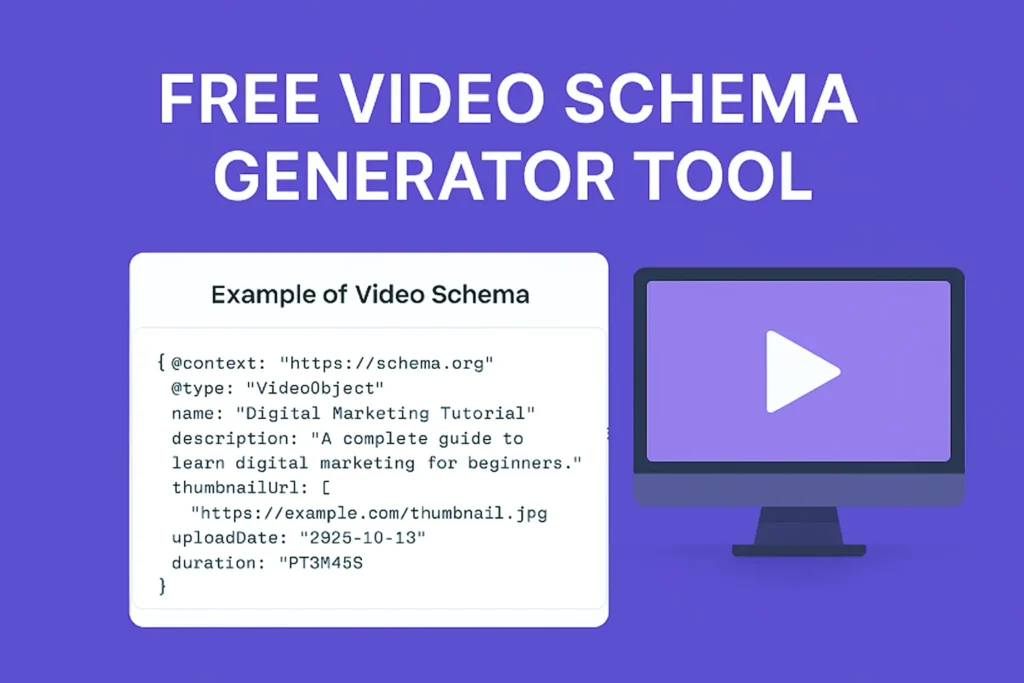
Videos are strong for boosting engagement & improving SEO — but for Google to understand & rank them better, you need Video Schema Markup.
The Free Video Schema Generator Tool lets you create accurate, Google-friendly structured data (JSON-LD) for your videos in seconds — no coding required. Fetch details automatically from YouTube or add them manually, then copy and paste the ready-made code into your post or page to boost your video visibility in search results.
Looking to optimize blog content too? Try now… our Free Blog Post Schema Markup Generator Tool — your perfect SEO companion.
What is Video Schema in Simple Words?
Video Schema is a type of structured data that tells Google important details about your video — such as title, duration, thumbnail, and upload date.
In simple terms, it helps Google understand your video content better so it can display it as a rich result (with thumbnail and details) in search results.
- What is Video Schema in Simple Words?
- Free Video Schema Generator Tool: Create JSON-LD Code in Seconds
- 🎬 Free Video Schema Generator Tool
- Why Video Schema is Essential for Your Content
- Example of Video Schema
- Why Use Video Schema Markup?
- Mandatory Requirements for Video Schema
- Does Video Schema Improve SEO?
- Key Features & Benefits
- How to Use the Video Schema Generator Tool
- People Also Ask
- Frequently Asked Questions (About Video Schema)
- Conclusion
Free Video Schema Generator Tool: Create JSON-LD Code in Seconds
👉 Paste this below inside your WordPress post editor’s “Custom HTML” block or code section (you can embed this interactive form):
🎬 Free Video Schema Generator Tool
Easily generate Video Schema markup automatically or manually to improve your video SEO performance.
This tool automatically converts your video details into valid JSON-LD schema markup for better search visibility.
Generated JSON-LD Schema
💡 Note: Copy the generated JSON-LD code and paste it in the HTML view of your post — ideally at the end. Works perfectly on Blogger, WordPress, and other blog platforms.
Why Video Schema is Essential for Your Content
Video Schema Markup is a form of structured data that helps search engines understand the subject, duration and content of a video embedded on your page. The primary benefit of adding this schema is that your video becomes eligible for Google's Video Rich Results.
Studies show that video-rich results can significantly improve click-through rates, sometimes enhances search presence by over 20–30% compared to standard search listings.
This means your video thumbnail and key details can appear directly in Google Search, often taking up a significant portion of the search result page. This visibility is key to improving your Click-Through Rate (CTR) and driving targeted traffic to your site. This tool instantly generates the compliant JSON-LD code you need.
According to Google, structured data helps improve content understanding and enables eligibility for rich results in search.
Example of Video Schema
Example video details:
- Title: Digital Marketing Basics for Beginners
- Upload Date: 2026-01-10
- Duration: 5 minutes
Generated schema includes:
- VideoObject type
- Thumbnail
- Embed URL
- Metadata for Google
Result:
✔ Thumbnail appears in search
✔ Rich preview enabled
✔ Improved visibility

Experience
After implementing Video Schema on multiple pages:
- Video thumbnails started appearing within days
- Click-through rates increased noticeably
- Pages gained better visibility in search results
One key learning:
Schema alone is not enough
The video must be visible, relevant and properly optimized.
Mandatory Requirements
To qualify for rich results:
- Video must be visible on the page
- Thumbnail must be valid and high quality
- Provide accurate title and description
- Use correct duration format (ISO 8601)
- Include embed or content URL
Missing any of these can prevent indexing or rich results.
Why Use Video Schema Markup?
Adding Video Object Schema helps Google understand your video content better. This can lead to:
- Your video appearing with a thumbnail in search results.
- Improved CTR (Click-Through Rate).
- Better video indexing and visibility. Enhanced content relevance for SEO.
| Feature | With Video Schema | Without Video Schema |
|---|---|---|
| Video Preview | Video thumbnail visible | No video preview in search |
| Click-Through Rate (CTR) | Higher CTR | Lower CTR |
| Search Visibility | Rich results eligible | Limited visibility |
| Indexing & Discovery | Better indexing | Harder indexing |
Without schema markup, search engines may not display your video rich results properly — which means less visibility and traffic.
Pro Tip:
If your website contains multiple videos, you can add schema for each video separately on the same page — just make sure each schema block is wrapped in {} and separated by commas inside an array.
Mandatory Requirements for Video Schema
- Video Must Be Visible: The video content must be easily visible and accessible to users on the page where the schema is added.
- Thumbnail Image: You must provide a valid URL for a high-quality thumbnail image. This image must be at least 160 pixels wide and follow an aspect ratio between 16:9 and 4:3.
- Video Embed/Content URL: You must specify the location of the actual video file (e.g., the direct link to the
.mp4file or the embed URL). This is distinct from the thumbnail URL. - Name & Description: The video title (name) and description must accurately reflect the video content and be unique.
- Duration: The duration of the video must be provided in ISO 8601 format (e.g., "PT1M30S" for one minute and thirty seconds).
Google has strict rules for video structured data. Failing to meet these requirements will prevent your video from earning Rich Results.
Technical Specification: ISO 8601 Duration Format & Multi-Video Arrays
Google's structured data parser requires video duration values formatted strictly under the ISO 8601 standard (PT#M#S). Supplying standard time formats like "03:45" will trigger validation errors inside Google Search Console.
ISO 8601 Time Formatting Cheat Sheet:
- 30 Seconds:
PT30S - 4 Minutes, 15 Seconds:
PT4M15S - 1 Hour, 12 Minutes, 5 Seconds:
PT1H12M5S
How to Structure Multiple Videos on a Single Webpage If your article features more than one embedded video, do not duplicate individual @context blocks. Wrap your VideoObject entities inside an @graph array structure like this:
{
  "@context": "https://schema.org",
  "@graph": [
    {
      "@type": "VideoObject",
      "name": "First Video Title",
      "thumbnailUrl": "https://example.com/thumb1.jpg",
      "uploadDate": "2026-01-10",
      "duration": "PT4M15S"
    },
    {
      "@type": "VideoObject",
      "name": "Second Video Title",
      "thumbnailUrl": "https://example.com/thumb2.jpg",
      "uploadDate": "2026-01-15",
      "duration": "PT2M30S"
    }
  ]
}
Does Video Schema Improve SEO?
From practical SEO experience, pages with properly implemented video schema often achieve:
- Higher click-through rates (CTR)
- Better visibility in search results
- Improved indexing of video content
In many cases, websites see a noticeable improvement in engagement once video rich results start appearing.
Key Features & Benefits
- No API Key or Coding Required:
The tool uses a simple method — no API setup, no backend integration and no cost. - Automatic Mode (YouTube URL):
Just enter your YouTube video link, and the tool automatically fetches the title, description, thumbnail and metadata. - Manual Mode (Custom Entry):
Add custom video details like name, description, upload date and duration for non-YouTube videos. - Instant JSON-LD Output:
Generate clean, valid structured data instantly with one click. - SEO & Ranking Boost:
Helps your videos appear in rich snippets, video carousels and Google video results, which is key for keyword research. - Fully Responsive & Fast:
Optimized for desktop, tablet and mobile — easy to use anywhere.
According to Google’s official documentation, structured data helps search engines better understand content and enable rich results.
How to Use the Video Schema Generator Tool
- Give your video details — Write video title, description, video URL and thumbnail link.
- Select the upload date and optionally add video duration and content URL.
- Click on Generate Schema, and your JSON-LD code will appear below.
- Copy and paste this code into your page’s
<head>or use an SEO plugin like Rank Math or Yoast. - Test your schema in Google’s Rich Results Test Tool to confirm everything is correct.
This tool is built based on Google’s structured data guidelines and tested on real websites.
When NOT to Use Video Schema
Do not use Video Schema on pages that do not have a live video. Avoid using it if the video player is hidden from users. Google prioritizes content that matches user intent, so adding schema without visible video content can lead to errors or ignored markup. Focus on proper execution, quality content and a smooth user journey instead of over-optimizing with schema markup.
Common Video Schema Mistakes to Avoid
- Adding schema without embedding a video
- Using incorrect duration format (not ISO 8601)
- Missing thumbnail image
- Providing misleading or fake data
- Not testing schema in Rich Results Test
By avoiding these mistakes we ensures that the schema is eligible for Google rich results.
If you want to optimize your content further, use our Free Keyword Density Checker Tool to balance keyword usage and improve rankings.
For complete structured data optimization, try our Blog Post Schema Markup Generator Tool to enhance article visibility.
My Experience Using Video Schema
After implementing Video Schema on multiple blog posts, I noticed a clear improvement in how content appears in search results.
In some cases, video thumbnails started showing within a few days, which increased click-through rates significantly compared to regular listings.
One important thing I learned is that simply adding schema is not enough — the video must be visible, relevant, and properly optimized. When all elements are aligned, Video Schema can be a powerful addition to your SEO strategy.
People Also Ask
1. Does video schema improve SEO?
Yes, it helps search engines understand your video content and increases the chances of appearing in rich results.
2. Can I use video schema without hosting the video?
Yes, you can use it for embedded videos (like YouTube), but proper metadata must be added.
3. How many videos can I add schema for on one page?
You can add multiple video schemas, but each must act for a visible video on the page.
Frequently Asked Questions (About Video Schema)
1. Do I need Video Schema if I embed a YouTube video?
Yes, you absolutely do. While YouTube automatically adds basic schema on YouTube.com, it does not add the necessary markup to your website when you embed the video. You must use a generator like this one to add the correct VideoObject schema to your page.
2. Can I mark up live stream videos with this schema?
This VideoObject schema is best suited for pre-recorded, on-demand videos. Live stream content has more complex requirements, often involving properties like publication and liveStatus. Focus on applying this generator to your evergreen video content.
3. Where should I place the Video Schema code?
The generated JSON-LD code should be placed either in the head section of your page or anywhere within the body section. The easiest place in WordPress is usually at the bottom of the post in the HTML/Code editor.
4. What is the uploadDate property used for?
The uploadDate property helps search engines understand when the video was first published. It is important for freshness, as search engines often prioritize newer, relevant content.
Conclusion
Video Schema is structured data that tells Google key details about your video, including:
- Title
- Description
- Thumbnail
- Upload date
- Duration
This helps your content become eligible for video rich results, where thumbnails and details appear directly in search.
Use this tool to generate schema in seconds:
- Automatic mode (fetch from YouTube URL)
- Manual mode (custom video details)
- Instant JSON-LD output
Copy the generated code and paste it into your page (HTML or SEO plugin).
The Video Schema Generator Tool make easy to implement structured data without any technical knowledge.
By adding proper schema:
- You improve visibility
- Increase CTR
- Help Google understand your content better
Start using the Video Schema Generator Tool now and make your videos eligible for rich results in Google Search.
Suggested Further Reading
- A Complete Guide to Digital Marketing in Mumbai.
- Ultimate Guide to Keyword Research for Beginners
- Free Keyword Density Checker Tool for Bloggers & SEO Experts
- Use On-Page SEO Techniques to Boost Rankings Fast
- Mastering Google Analytics 4: The Essential Strategy for Growth
- How to Link GSC and GA4 for Advanced Data Insights
- Optimize WordPress Robots.txt for SEO (Complete Guide)
- Sitemaps vs. Robots.txt: Which One Controls Your SEO? (Guide)
- Canonical URL Explained: Fix Duplicate Content Issues
- Noindex vs Robots.txt vs Canonical: When to Use What?
- Your Google Business Profile Gets Views but No Sales? 5 Fixes That Turn Views into Real Customers
- Most Common Google Search Console Errors (404, Discovered and Crawled)
✍️ About the Author
Digital Smart Guide is dedicated to simplifying SEO and digital marketing for beginners and professionals.
We share practical, easy-to-understand strategies based on real experience and ongoing learning from Google updates.
Disclaimer
This content is for informational purposes only. Results may vary based on your niche, competition, and implementation. Always apply strategies based on your specific needs.