
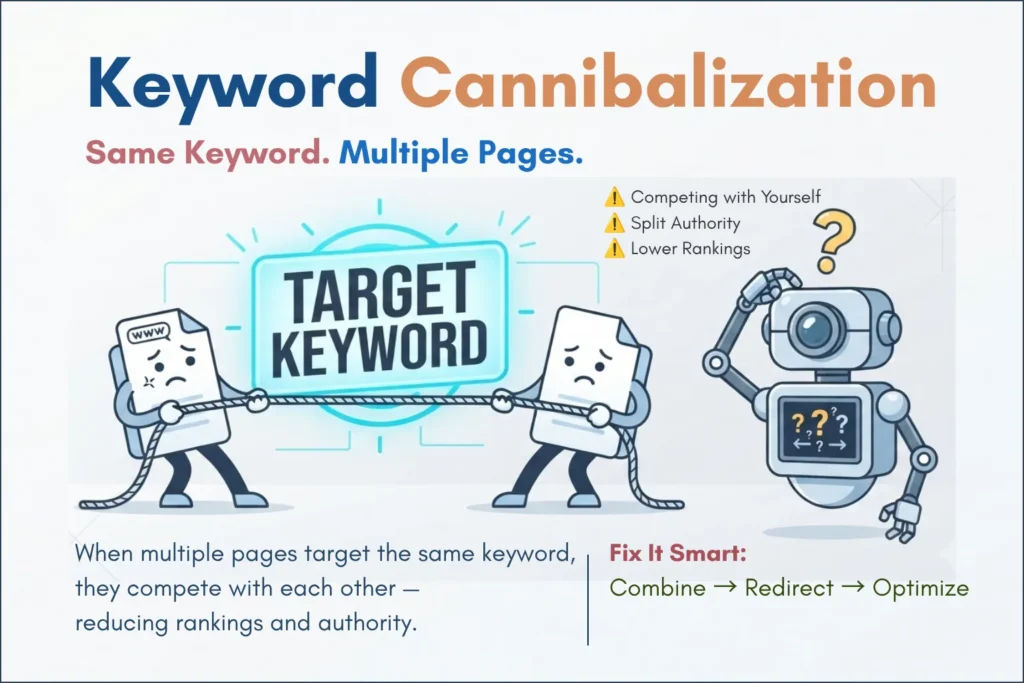
If you’ve ever published multiple blog posts on similar topics, you may have noticed something strange—your rankings drop instead of improve.
One page replaces another. Or worse, both disappear.
This is called keyword cannibalization, and it silently kills your SEO performance.
It happens when Google gets confused; because you have multiple pages on your site competing for the same search keywords. When your site features overlapping topics, you create a conflict that leaves Google unable to identify your definitive or most authoritative resource.
In this guide, I will help you understand how Google chooses which page to index, how to spot cannibalization, and how to fix it so your traffic doesn’t suffer.
This issue is the most of one unnoticed SEO mistakes that silently kills rankings—even on well-written websites.
- What is Keyword Cannibalization in SEO?
- How Google Decides What to Index
- The Impact of Keyword Cannibalization on SEO
- Comparison Table: Duplicate vs. Similar Content
- Real-World Example: The Engineering Resource Dilemma
- Identifying "Canonical Confusion"
- How to Fix the Cannibalization Issue
- The Psychology of Search Intent: Avoid Cannibalization Before You Write
- SEO Checklist: Preventing Future Issues
- How to Audit Your Site for Hidden Cannibalization
- Common Mistakes Beginners Make
- Quick Review In Simple Words
- Frequently Asked Questions (FAQs)
- Conclusion: Take Control of Your Rankings
What is Keyword Cannibalization in SEO?
‘Cannibalization’ literally means harming oneself. In SEO, keyword cannibalization happens when multiple pages on the same website attempt to rank for the same or very similar keywords.
Instead of working together to dominate search results, your own pages end up competing against each other. When this happens, search engines like Google get confused about which page should be considered the primary authority, ultimately diluting your ranking power.
When this happens:
- Ranking Fluctuation: Your pages dance up and down the rankings.
- Diluted Authority: When backlink equity is spread thin across similar pages, your site struggles to establish one dominant resource, effectively weakening your overall ranking power.
- Lower Conversion: The wrong page—perhaps one that isn’t optimized for sales—might start ranking instead of your best content.
How Google Decides What to Index
Google’s algorithm is smarter than we often give it credit for, but it still relies on specific signals to distinguish between similar pages.

1. Canonical Tags
This is the most important signal. A canonical tag (rel="canonical") serves as a clear instruction to Google, effectively stating that when the search engine encounters multiple versions of the same content, it should funnel all authority and indexing priority toward one designated, preferred URL.
2. Internal Linking Structure
Google looks at how you link to your pages. If you have five different articles and all of them link to “Page A” as the main resource, Google understands that “Page A” is the most important page on that topic.
3. Content Freshness and Depth
Sometimes, Google will pick the page that has been updated more recently or contains more comprehensive, “people-first” information.
If Google struggles to interpret your page structure, it may fail to properly index it. This often happens due to technical issues like poor formatting or parsing errors.
The Impact of Keyword Cannibalization on SEO
If left unchecked, competing against your own URLs can severely hurt your site’s performance:
- Drop in Rankings: Your primary, high-quality article can get pulled down, lose its momentum, or be outperformed by accidental secondary pages.
- Split Page Authority: Backlinks, user engagement signals, and traffic for the exact same topic get fragmented across multiple URLs instead of strengthening a single, authoritative page.
- Crawling and Indexing Issues: Search engine crawlers face difficulty to determining which URL/page houses the authoritative, primary content.
Comparison Table: Duplicate vs. Similar Content
Understanding the difference between duplicate and similar content is critical to fixing cannibalization issues.
| Feature | Duplicate Content | Similar Content |
|---|---|---|
| Definition | Content is exactly the same (or word-for-word). | Content covers the same topic with different phrasing. |
| Google’s View | May be treated as a duplicate or redundant version. | May be treated as competing or overlapping content. |
| The Fix | Use 301 redirects. | Use canonical tags or merge content. |
Real-World Example: The Engineering Resource Dilemma
At the start of managing knowpipingfield.com, I published two separate articles—one titled “PID Symbols” and another focused on “Process Instrumentation Symbols”—which, despite their distinct names, featured nearly identical icon directories.
Instead of ranking for both, my rankings for both pages were stuck on page three. Google didn’t know which page to show.
The Fix: I merged them into one ultimate “Master Guide to P&ID Symbols.” I then set up a 301 redirect from the old URL to the new, comprehensive one. Within a month, that single “Master Guide” hit the first page for both keywords.
This is a common issue I’ve seen across multiple sites—especially when content is scaled without a keyword map.
If you encounter similar declining pages or keyword cannibalization issues across your properties, you can follow my step-by-step process on How to Refresh Old Blog Content (Boosts Traffic Fast) to fix them.
Identifying “Canonical Confusion”
If you suspect you have cannibalization issues, check your Google Search Console (GSC). Look for:
- Multiple pages ranking for the same keyword: Use the Performance tab and filter by your main keyword.
- Google choosing a different canonical: In the URL inspection tool, check if Google has selected a “user-declared canonical” that is different from what you intended.
If your page is indexed but still not ranking due to conflicting signals, it is frequently tied to more complex SEO optimization challenges. You can explore detailed fixes in my guide on Why Google Indexes Your Page But Doesn’t Rank It (Fixes That Actually Work).
How to Fix the Cannibalization Issue
1. Merge and Redirect
Combine all similar or overlapping pages into a single, comprehensive, and high-quality resource that covers the topic thoroughly.
If two pages are competing and neither is ranking well, merge them. Combine the best sections of both and then 301 redirect the weaker URL to the stronger one.
Permanent 301 redirects: Transfer all historical link equity to your primary resource by permanently forwarding the addresses of secondary / redundant pages to your main authoritative URL.
2. Strengthen Internal Links
Use your internal links to tell Google which page is your main/primary page; If you are writing a new post, link to the page you want to rank for.
Canonical Tags: If you must keep separate pages live for structural reasons, use a canonical tag to signal to search engines which page is the original and primary source.
For a deeper understanding of canonical tags and redirect issues. Learn more in our guide to fixing redirect, canonical, and duplicate errors in Google Search Console.
3. Adjust Your Keywords
If two pages are actually different enough to exist, make sure they target different keywords. Use tools to find long-tail variations so each page has a unique reason to exist.
The Psychology of Search Intent: Avoid Cannibalization Before You Write
The most effective way to solve cannibalization is to prevent it before it happens. A common mistake among new bloggers is creating repetitive content in a push to increase their post count. However, Google prioritizes how well you address a user’s specific needs rather than the total volume of articles on your site.
Understand the “Searcher Journey”

Before you begin drafting a new piece of content, take a moment to evaluate: ‘Does this article provide a solution I have already covered elsewhere?’ If you have already published an in-depth guide on ‘Piping Fundamentals,’ there is no reason to produce a separate post titled ‘Piping System Basics,’ as they essentially address the same core concepts. Rather than overlapping your content, center your strategy on the Searcher Journey.
- Awareness Stage: The user is asking, “What is a PFD and P&ID?” (Make a simple and easy to understand informative overview with the core function & structural arrangement of P&IDs).
- Consideration Stage: The user is asking about, “Which is best software for drafting P&IDs?” (Provide a structured comparison table evaluating industry-leading software solutions such as; AutoCAD, SmartPlant, or Aveva).
- Decision Stage: The user is asking, “How do I troubleshoot a line numbering error in my P&ID?” (Write a technical, Stepwise tutorial with a specific fix – for an engineering workflow in simple words).
By swapping the generic SEO example for this industry-specific one, you add a layer of personal authority and expertise that is highly valued by both readers and AdSense reviewers. This demonstrates that your site is a specialized resource rather than a collection of rehashed general marketing advice.
Creating a Content Map
To stay organized, create a simple spreadsheet or “Content Map.” List your main topics (your pillar pages) and then list the sub-topics that support them. If you are about to write a post that feels too similar to an existing pillar page, don’t create a new URL. Instead, add a new section to your existing pillar page to make it even more comprehensive. This keeps all your authority in one place, which is the ultimate anti-cannibalization strategy.

SEO Checklist: Preventing Future Issues
- [ ] Keyword Map: Before writing, list your existing pages to see if you have already covered the topic.
- [ ] Primary Keyword: Assign one main keyword to every new page you create.
- [ ] Canonical Check: Ensure every page has a self-referencing canonical tag.
- [ ] Internal Link Audit: Review your top posts and ensure they link to your core “pillar” pages.
How to Audit Your Site for Hidden Cannibalization
You don’t need expensive tools to find out if your site is competing against itself. Many cannibalization issues are often linked to underlying technical problems like crawl errors or indexing issues. Many of these issues are first visible inside Google Search Console reports. If you’re new, start with our guide on Most Common Google Search Console Errors: 404, Discovered and Crawled. You can go for “Cannibalization Audit” by using free resources like Google Search Console and a simple site search command.
The “Site: Search” Method
This is a powerful, free way to see how Google views your site’s hierarchy. Go to Google and type: site:yourdomain.com "your main keyword".
- The Result: Google will show you each page on your site that contains that keyword.
- The Analysis: Look at the titles that appear. Do you see three different pages for the same topic? If so, you have found your cannibalization hotspots.
- The Action: Review those pages. If they aren’t unique, choose the one that performs best in Search Console, and redirect the others to it.
Analyzing Impression Trends
Within the Performance section of Google Search Console, apply a filter for a particular keyword. If the graph looks erratic—with spikes and drops in impressions—it is a classic sign of “Ranking Flip-Flop.” This happens when Google constantly swaps which page it thinks is the best for that query. Once you identify this, you must “force” the issue by canonicalizing the weaker page to the stronger one or significantly rewriting the weaker page to target a different, more specific keyword.
Common Mistakes Beginners Make
- Panic Deleting: Don’t just delete pages; you might lose traffic. Always redirect them.
- Ignoring Technical SEO: A page won’t rank if it’s not crawlable. Brush up on your technical setup with my beginner SEO parsing guide.
- Keyword Stuffing: Don’t force keywords into titles just to make them “different.” Be authentic.
Ignoring technical structure can also hurt your rankings—if your content has formatting or parsing issues, search engines may struggle to understand it. Learn how to fix this in my guide on Readability & Parsing Errors in SEO (Beginner Guide).
Quick Review In Simple Words
Keyword Cannibalization happens when multiple pages on the same website attempt to rank for the same or very similar keywords in search engines (like Google). As a result, your own pages compete against one another, which dilutes your ranking power.
Here is the short explanation of the concept and its impact on SEO:
1. Meaning
- Cannibalization literally means harming oneself.
- When you target the same keyword across different blog posts or articles on your website, Google gets confused about which page should be considered the primary authority. Consequently, none of the pages achieve optimal rankings.
2. Impact on SEO
- Drop in Rankings: Your primary, high-quality page can get pulled down or outperformed by your secondary pages.
- Split Page Authority: Backlinks, user signals, and traffic for the same topic get divided across multiple pages instead of strengthening a single URL.
- Crawling & Indexing Issues: Search engine crawlers face difficulty determining which URL houses the authoritative, primary content.
3. How to Fix It
- Merge Content: Combine all similar pages into a single, comprehensive, and high-quality article.
- 301 Redirects: Redirect the URLs of older or less important pages to your main, authoritative page.
- Canonical Tags: If you must keep the pages separate, use a canonical tag to signal to search engines which page is the original/main source.
You can use Google Search Console to identify if your pages are competing with each other.
Frequently Asked Questions (FAQs)
1. Is it wrong to have two pages on the same topic?
Not necessarily, provided they serve different intents (e.g., one is a “What is” guide, the other is a “How to” tutorial).
2. Will merging pages hurt my traffic?
It can cause a short dip, but it almost always leads to higher rankings in the long run because you are building one authoritative page.
3. Does Google penalize me for duplicate content?
Google doesn’t give a “penalty,” but it will choose only one version to index, which usually leads to lower traffic than if you had consolidated your efforts.
4. What if I have an e-commerce site with similar products?
Use canonical tags to point to the main product category page.
5. How long until I see improvements after fixing cannibalization?
Usually, it takes a few weeks for Google to re-crawl your site and update the rankings.
Conclusion: Take Control of Your Rankings
Regularly auditing your content using tools like Google Search Console helps you catch and resolve keyword conflicts early. Keeping your keyword targeting distinct ensures that every page on your website has a clear purpose and a strong chance to rank at its highest potential.
Keyword cannibalization is one of the most common reasons why new websites get “stuck.” By understanding how Google chooses which content to index, you move from being a blogger who hopes for rankings to a strategist who builds them.
Fixing keyword cannibalization in SEO is essential if you want stable and long-term rankings.
Remember, Google wants to show the best version of an answer. If you split your content into five mediocre pages, you are making it hard for Google to recommend you. Merge your content, clean up your links, and watch your site’s authority grow.
If your rankings are still unstable after fixing cannibalization, it may be due to indexing or technical SEO issues. Make sure to review your overall SEO health using the guides linked above.
Start today: pick one keyword, search site:yourdomain.com "keyword", and check if multiple pages are competing.
Fixing just one cannibalization issue can significantly improve your rankings within weeks.
Suggested Further Reading
- Most Common Google Search Console Errors (404, Discovered and Crawled)
- How to Refresh Old Blog Content
- How to Structure a Blog Post for SEO: Beginner-Friendly Guide
- Readability & Parsing Errors in SEO (Beginner Guide)
- Comprehensive Guide: Fixing Redirect, Canonical and Duplicate Errors in GSC
- Why Google Indexes Your Page But Doesn’t Rank It (Fixes That Actually Work)
- Sitemaps vs. Robots.txt: Which One Controls Your SEO? (Guide)
- Noindex vs Robots.txt vs Canonical: When to Use What?
- How to Refresh Old Blog Content
- Keyword Cannibalization: Why Your Pages Compete (And How to Fix It)
- How to Link GSC and GA4 for Advanced Data Insights
✍️ About the Author
Digital Smart Guide is dedicated to simplifying SEO and digital marketing for beginners and professionals.
We share practical, easy-to-understand strategies based on real experience and ongoing learning from Google updates.
Disclaimer
This content is for informational purposes only. Results may vary based on your niche, competition, and implementation. Always apply strategies based on your specific needs.